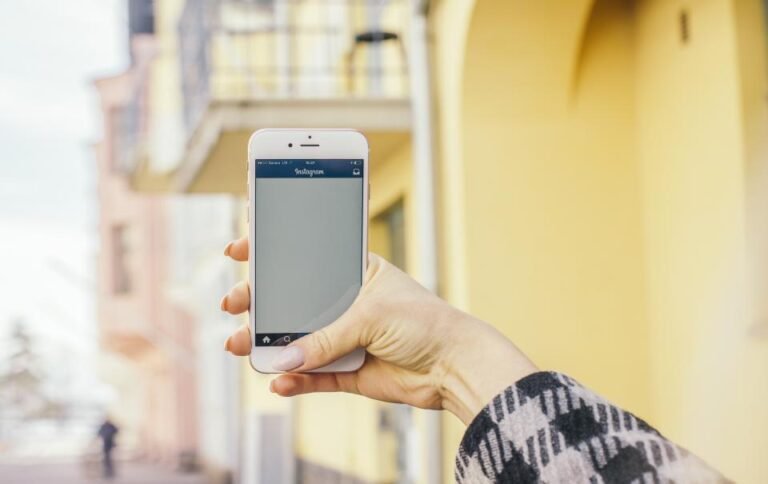
To find someone on Instagram by username, type their exact handle into the search bar and open the matching result under Accounts, or go straight to instagram.com/ followed by the username in your browser. Because every username is unique, the exact handle always points to one profile. If the account is public and you don’t want to log in, InstaPv can also show that profile by username.
Key Takeaways
- Every Instagram username is unique, so the exact handle leads to one specific profile.
- You can search in the app, on the web, or type instagram.com/username directly.
- Typos, changed usernames, deactivation and blocking are the most common reasons a profile won’t appear.
- Private accounts still show up in search, but only approved followers see their posts.
- Always check you have the real account, because impostor profiles often use similar handles.
Why a Username Is the Best Way to Find Someone
Display names are not unique. Thousands of people can call themselves “Alex” or “Maria” on Instagram, which makes a name search slow and confusing.
A username, also called a handle, is different. Only one account can hold a username at a time, so if you know it exactly, you can land on the right profile in seconds. That is why businesses and friends often share their handle rather than their full name. Like our other Instagram guides, this one starts with the simplest option first.
How to Find Someone by Username: 3 Methods
Pick whichever method suits your device. All three work for any account, but you will only see posts from public profiles or from private accounts that have approved you.
Method 1: Use the Search Bar in the Instagram App
- Open Instagram and tap the magnifying glass icon.
- Tap the search bar at the top and type the username.
- Switch to the Accounts tab to filter out posts, tags and places.
- Tap the result that matches the handle exactly.
Method 2: Search on the Instagram Website
On a computer, Instagram’s help page on finding people to follow on Instagram explains that you click Search in the left menu, then type a name or username in the search bar. Results appear as you type.
Method 3: Type the Profile URL Directly
Every profile lives at a simple web address: instagram.com/ followed by the username. For example, a handle of “example.name” would be found at instagram.com/example.name. This skips search entirely and is handy when you already know the exact spelling.
Instagram may ask you to log in after a short while on the web. If you only need to see a public profile, the InstaPv anonymous viewer lets you enter the username in your browser without an account.
Comparing the Search Methods
| Method | Needs an Instagram Account? | Best For |
|---|---|---|
| App search bar | Yes | Everyday searching on your phone |
| Website search | Yes | Searching from a laptop or desktop |
| Direct profile URL | Usually, for longer browsing | When you know the exact handle |
| Anonymous public viewer | No | Quickly checking a public profile without logging in |
Tips for Getting the Username Right
Most failed searches come down to small spelling details. Instagram handles can only contain letters, numbers, periods and underscores, and they are not case-sensitive.
- Check periods and underscores: “jane.doe” and “jane_doe” are two different accounts.
- Watch for look-alike characters: the letter “l” and the number “1”, or “o” and “0”, are easy to mix up.
- Remove the @ symbol: it is not part of the handle when you type a URL.
- Ask for a link: if a friend shares their profile link, you avoid spelling mistakes entirely.
Why You Can’t Find Someone by Username
If the exact handle returns nothing, one of these is usually the reason.
The Username Has Changed
People can change their username at any time. The old handle stops working and may even be claimed by someone else, so double-check with the person if you can.
The Account Is Deactivated or Removed
Temporarily deactivated or deleted accounts disappear from search and their URL shows an error. Accounts removed for breaking the rules also stop showing up.
You Have Been Blocked
When someone blocks you, their profile generally won’t appear for you while you are logged in to the blocked account. Please respect that decision rather than trying to get around it.
If the profile appears but won’t open properly, our guide to fixing an Instagram profile that’s not loading walks through the common causes.
Make Sure You’ve Found the Real Account
Impostors often copy a real person’s photos and pick a handle that differs by one character. The UK’s National Cyber Security Centre warns that not everyone on social media is who they say they are, and that scammers create fake accounts.
Before you follow or message, look at the post history, follower activity and bio. Our checklist on how to spot a fake Instagram account lists the red flags to look for.
If you simply want a closer look at a public profile, our Instagram profile viewer guides explain the options, including how to view an Instagram profile without an account.
Safety note: Only look up people for legitimate reasons, such as reconnecting with a friend or checking a business. Never use a username to track, harass or contact someone who has blocked you, and never enter your Instagram password on a third-party site to search for accounts.
Frequently Asked Questions
Can I find someone on Instagram without knowing their username?
Yes, but it is slower. You can search by display name and scroll through the results under Accounts, or connect your phone contacts so Instagram can suggest people you know. Because display names are not unique, check photos and bios carefully to make sure you have found the right person.
Will someone know if I search for their username?
No. Instagram does not notify people when someone searches for their username or opens their profile. Only actions like following, liking, commenting or viewing a story can show up for the account owner. Still, use search responsibly and respect people who clearly do not want to be contacted.
Do private accounts appear in Instagram search?
Yes. Private accounts still appear in search, and anyone can see their username, profile picture, bio and follower counts. Their posts, reels and stories stay hidden unless the owner approves your follow request. No legitimate tool, including InstaPv, can show the content of a private account.
Why does a username show “Sorry, this page isn’t available”?
This message usually means the username is misspelled, has been changed, or belongs to an account that was deactivated or removed. It can also appear if the person has blocked you. Check the spelling first, then ask the person for their current handle or a direct profile link.